A Publisher alternative for libraries
For library staff, and for patrons who bring in .pub filesUpdated ~/publisher-alternative-for-libraries
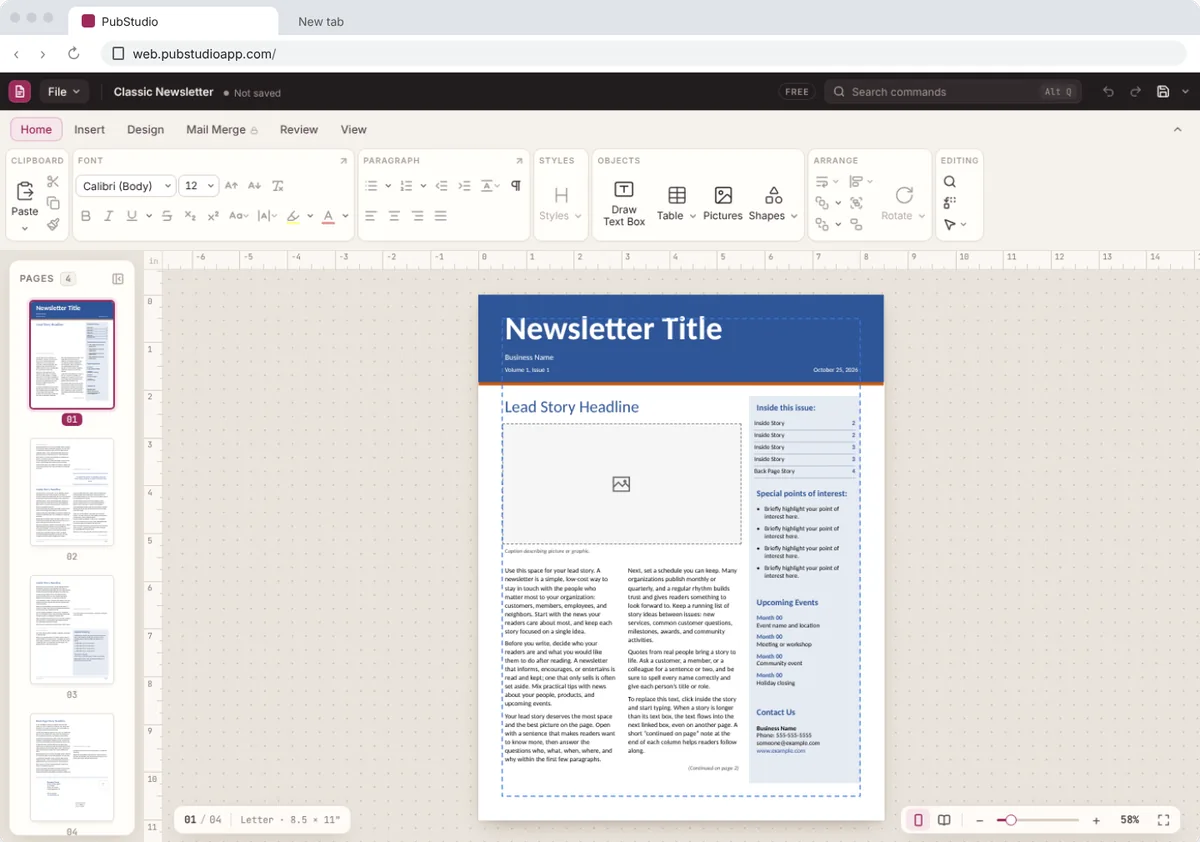
When a patron asks how to open a .pub file, there's a free answer. PubStudio opens Publisher files on Windows and in the browser, with no account. It also makes the flyers, event calendars and signs your library prints every month.
 No Windows warning
On a public computer, a Mac or a Chromebook? Open PubStudio online in Chrome or Edge, free, with nothing to install.
Why the help desk will hear about .pub files
Microsoft ended support for Publisher in October 2026 and is taking it out of Microsoft 365. Its notice to IT admins says the update that removes it reaches PCs from mid-November 2026, and some not until early December. People who made a club newsletter, a family reunion flyer or a résumé in Publisher will find it gone from their home PC. Many will bring the file to the library.
Your own staff have .pub files too: program flyers, the events calendar, signs and the Friends of the Library newsletter. Those files are fine. They just need an app that opens them.
Helping a patron open a .pub file
- Go to web.pubstudioapp.com in Chrome or Edge on any public computer. There's nothing to install and no account to make.
- Drag the .pub file onto the page, or choose File > Open and pick it from their USB drive or email.
- Print it, or save a PDF. The file is opened inside the browser and isn't uploaded to us or anyone else.
The free version prints and saves PDFs with a "Made with PubStudio" line. Patrons who want to keep editing at home can get PubStudio free from the Microsoft Store, or use it online on a Mac or Chromebook. Publisher disappeared from my PC is a page written for them that you can share.
On public and staff computers
- Public computers that are locked down or reset every night: use the online version. There's nothing to install, so a nightly reset doesn't get in the way.
- Staff PCs: install from the Microsoft Store, so Windows shows no warning and updates come through the Store.
- Laptops you lend and Chromebooks: the online version works the same in Chrome or Edge.
Templates for library printing
- Event flyers and posters for story time, author talks and book sales. See flyer templates.
- Calendars for the month's programs. See calendar templates.
- Signs for opening hours, quiet areas and directions.
- Newsletters for members and your Friends of the Library group. See newsletter templates.
- Certificates for summer reading, and labels for file folders and name badges.
Pro adds new designs every month. November's include a Holiday Hours Sign, a December Activity Calendar and a Holiday Craft Fair Flyer. For the monthly events calendar or newsletter, try Design > Next Issue (Pro). It makes next month's copy with the dates moved on and the calendar turned to the new month.
The library's own old files
Staff can open last year's flyers and calendars and keep using them, and the originals are never changed. For an archive, Pro can convert a whole folder of .pub files to PDFs in one go, on your own PC.
Free or Pro?
| Free, for good | Open, edit, print and save any publication, including old .pub files, with one template of each kind. Prints and PDFs carry a "Made with PubStudio" line. |
|---|---|
| Pro, $10 a month or $99 a year | Clean prints and PDFs, mail merge, every template plus new designs each month, Next Issue, a Brand Kit for your library's logo, colors and fonts, QR codes, more export types, and converting a whole folder at once. |
Patrons never need Pro to open, read or print a file. Every new PC gets a 7-day Pro trial, with no card or account, and after it ends PubStudio carries on as the free version.
For several staff PCs, choose how many at checkout, from 1 to 99. Each one is $10 a month or $99 a year, and a Pro license also works online. If the library pays by invoice or purchase order, email us at [email protected] and we'll send you an invoice for the yearly plan. See pricing.
Also for churches, schools and nonprofits. More on switching: Moving from Publisher · Publisher is retiring