Open a .pub file on a Mac
Or on a Chromebook, in your browserUpdated ~/open-pub-file-on-mac
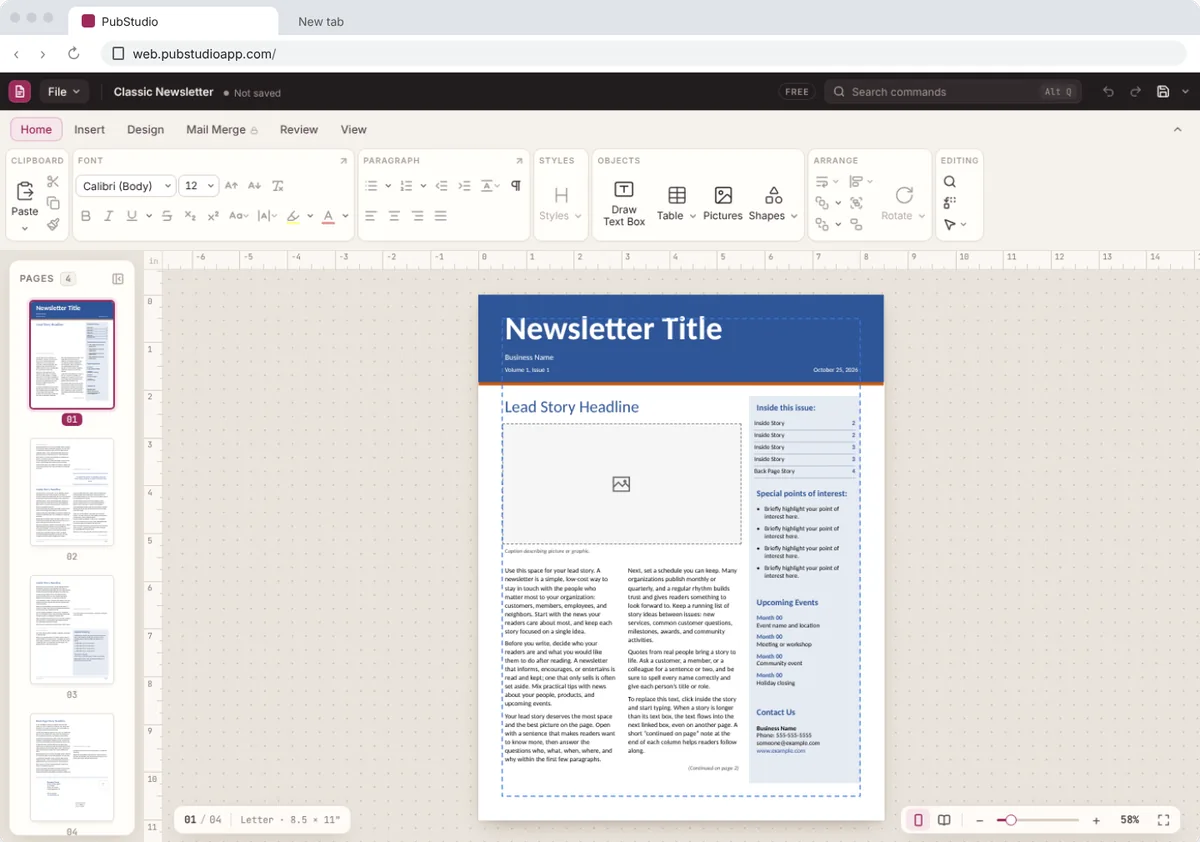
Publisher was only ever made for Windows, so a Mac or Chromebook has no app that opens a .pub file. PubStudio runs in Chrome or Edge, so you can open, edit, print and save it right in your browser. It's free, there's no account, and your file isn't uploaded.
How do I open a .pub file on a Mac?
- Open Chrome or Edge on your Mac or Chromebook and go to web.pubstudioapp.com.
- Drag the .pub file onto the page, or choose File > Open. Files from Publisher 98 through Microsoft 365 open.
- Look it over, change it, print it, or save it as a PDF anyone can open.
Need a PDF?
Choose File > Save As and pick PDF, and it's saved to your Mac. See converting a .pub file to PDF.
Got it from someone on Windows?
That's the usual story: a church office, school or club made it in Publisher and sent it over. Open it as above, make your changes, then send back a PDF, or save it as a PubStudio file (.pubx) to keep working on it.
More on opening .pub files online and opening .pub files on Windows.