Church bulletin template
Sunday, Advent and Christmas bulletins, folded and ready for the pews~/church-bulletin-template
Change this week's readings and hymns, print, fold, done. PubStudio sets your bulletin up as a half-letter booklet, 5.5 by 8.5 inches, and prints it two pages to a side so it folds straight into a bulletin. Already have years of bulletins made in Publisher? PubStudio opens those too.
 No Windows warning
Start from a template
- File > New and type "bulletin" in the search box, or open the Holidays category.
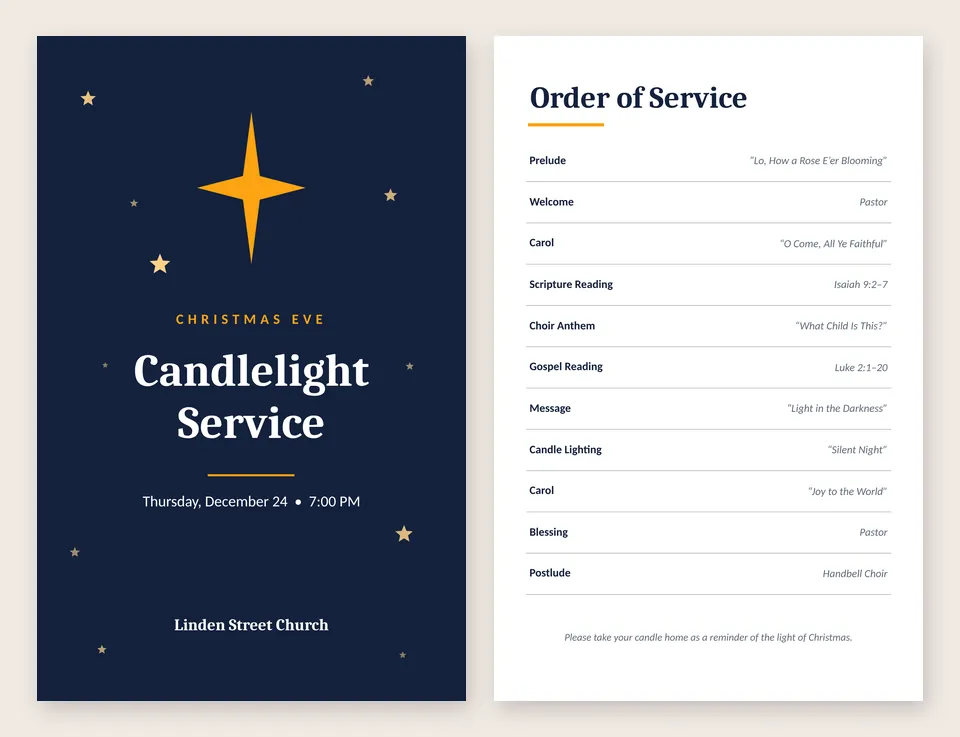
- Christmas Service Bulletin has a starry cover, an order of service from prelude to postlude, a page for announcements and a back page for your church's details. Pick a color scheme to match your season, like purple for Advent.
- Type over the sample text. Click any line to change a hymn, reading or name. The order of service is a table, so right-click it to add or remove a line.
Christmas Service Bulletin is part of Pro, and every new PC gets a 7-day Pro trial. On the free version, start from Event Program in the Programs category: it's the same half-letter size, with a cover and a list of what happens and who leads it.
Print it as a folded bulletin
Open File > Print and choose Booklet, opens like a book. PubStudio puts the pages in the right order on each sheet, so when you print both sides and fold, page 2 follows the cover. The printing guide has the details, including printers that can't print both sides on their own.
Bulletins you made in Publisher
Open last week's .pub bulletin in PubStudio, change the date and readings, and print. Your original file is never changed: saving makes a PubStudio copy next to it. See open a .pub file.
On a church office PC, a Mac or a laptop
PubStudio runs on Windows 10 and 11, and also in your browser, so the same bulletin works on a Mac, a Chromebook or a shared PC where you can't install apps.