Certificate template
Achievement, appreciation, completion and employee of the month~/certificate-template
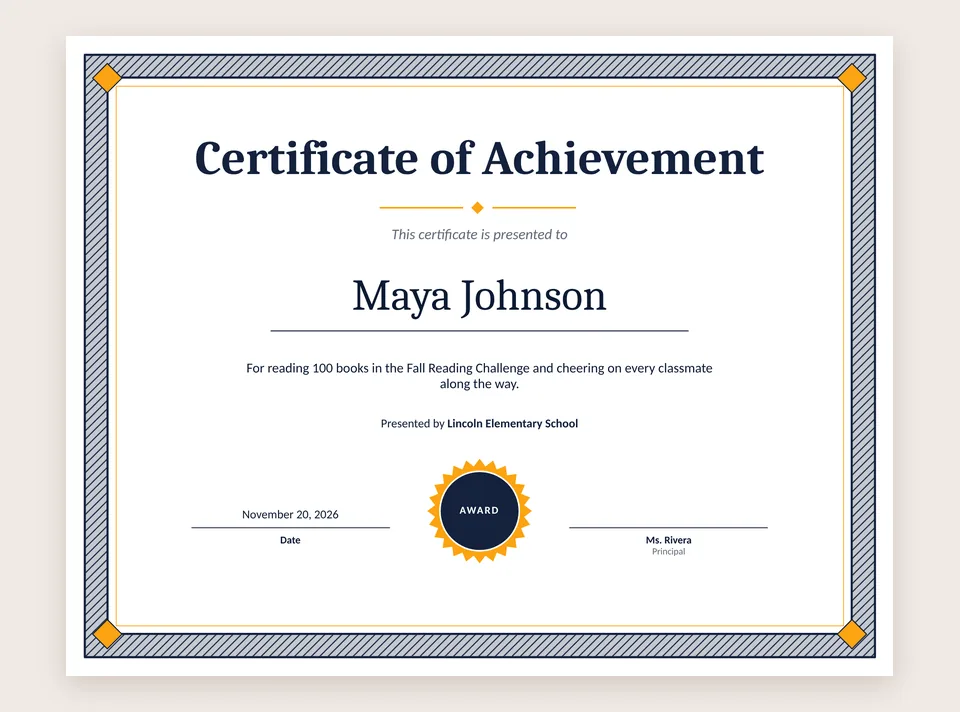
Type a name, say what it's for, print. Award certificates for students, volunteers, teams and staff, with a border, a seal and lines for the date and a signature, ready at Letter size.
 No Windows warning
Make your certificate
- File > New > Certificates and pick Certificate of Achievement.
- Type the person's name and a line about what they did. Change "Presented by" to your school, club or company.
- Pick a color scheme on the Design tab. Navy and gold looks formal; a bright scheme suits a kids' award.
- Print it on card stock, then sign it.
A certificate for everyone on a list
Handing out a stack of them? With Pro, mail merge makes one copy of your certificate for each person on your list, with their name filled in, so you don't type each one.
Certificate templates
- Certificate of Achievement: for awards, honor rolls and contests. In the free version.
- Certificate of Appreciation: for volunteers, speakers and sponsors.
- Certificate of Completion: for classes, training and programs.
- Employee of the Month: an upright page for the break room wall.
- Gift certificates: one per page, an elegant one, or three to a sheet. Gift Certificate is in the free version.
The other certificates come with Pro, and every new PC gets a 7-day Pro trial. See every category on the templates page.
Certificates you made in Publisher
Open your .pub certificate, change the name and the date, and print. Your original file is never changed. See open a .pub file. PubStudio also runs in your browser on a Mac or a Chromebook.