Brochure template
Tri-fold brochures for churches, clubs, nonprofits and small businesses~/brochure-template
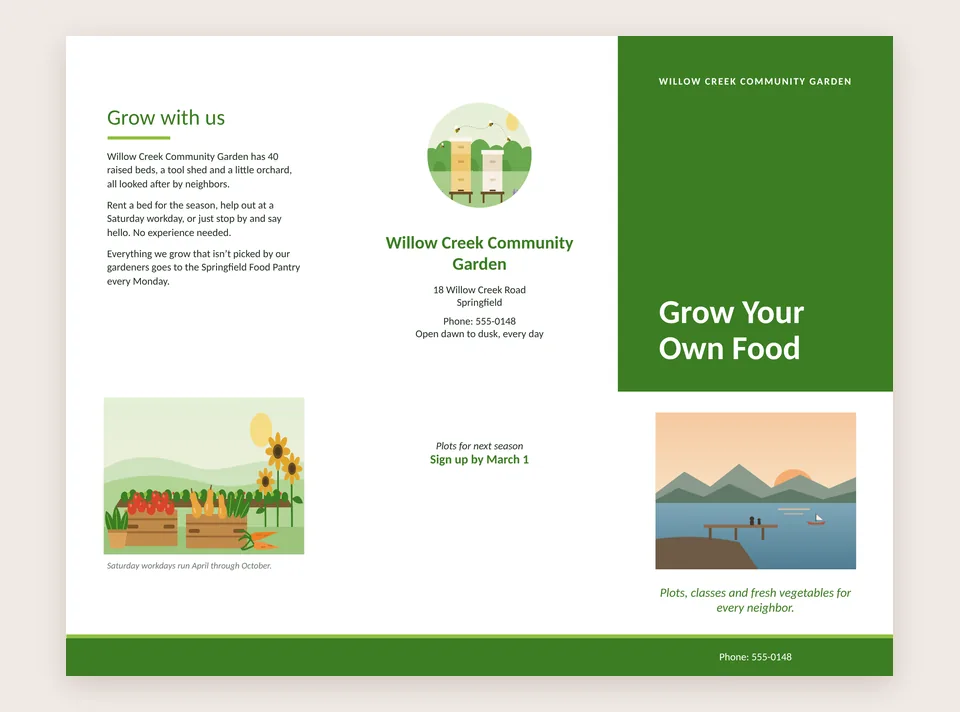
Six panels, one sheet of paper, folded in three. A tri-fold brochure tells people who you are, what you do and how to reach you. PubStudio has the panels laid out on a Letter sheet, so you only fill them in.
 No Windows warning
Make your brochure
- File > New > Brochures and pick Tri-fold Brochure. It has two pages: the outside, with the cover and the back panel, and the inside.
- Type over the sample text on each panel. Right-click a picture and choose Change Picture to use your own photos.
- Pick a color scheme on the Design tab. The headings, bands and lines all change together.
- Print both pages on one sheet, front and back, then fold it in three so the cover is on the outside.
Brochure templates
- Tri-fold Brochure: a cover, a panel about you, your contact details and an inside spread for what you offer. In the free version.
- Modern Brochure with Form: adds a panel people can fill in and send back, for sign-ups or orders.
- Event Brochure: a schedule, speakers or activities, and where to go.
The form and event brochures come with Pro, and every new PC gets a 7-day Pro trial. See every category on the templates page.
Brochures you made in Publisher
Open last year's .pub brochure, update the dates and prices and print it again. Your original file is never changed. See open a .pub file. PubStudio also runs in your browser on a Mac or a Chromebook.